
Cashflow Portal
How To Use The Home Invest Cashflow Portal
How to use Home Invest Cashflow portal account - made easy to use and loaded with useful visuals and great assets that will help you see the health of your investment
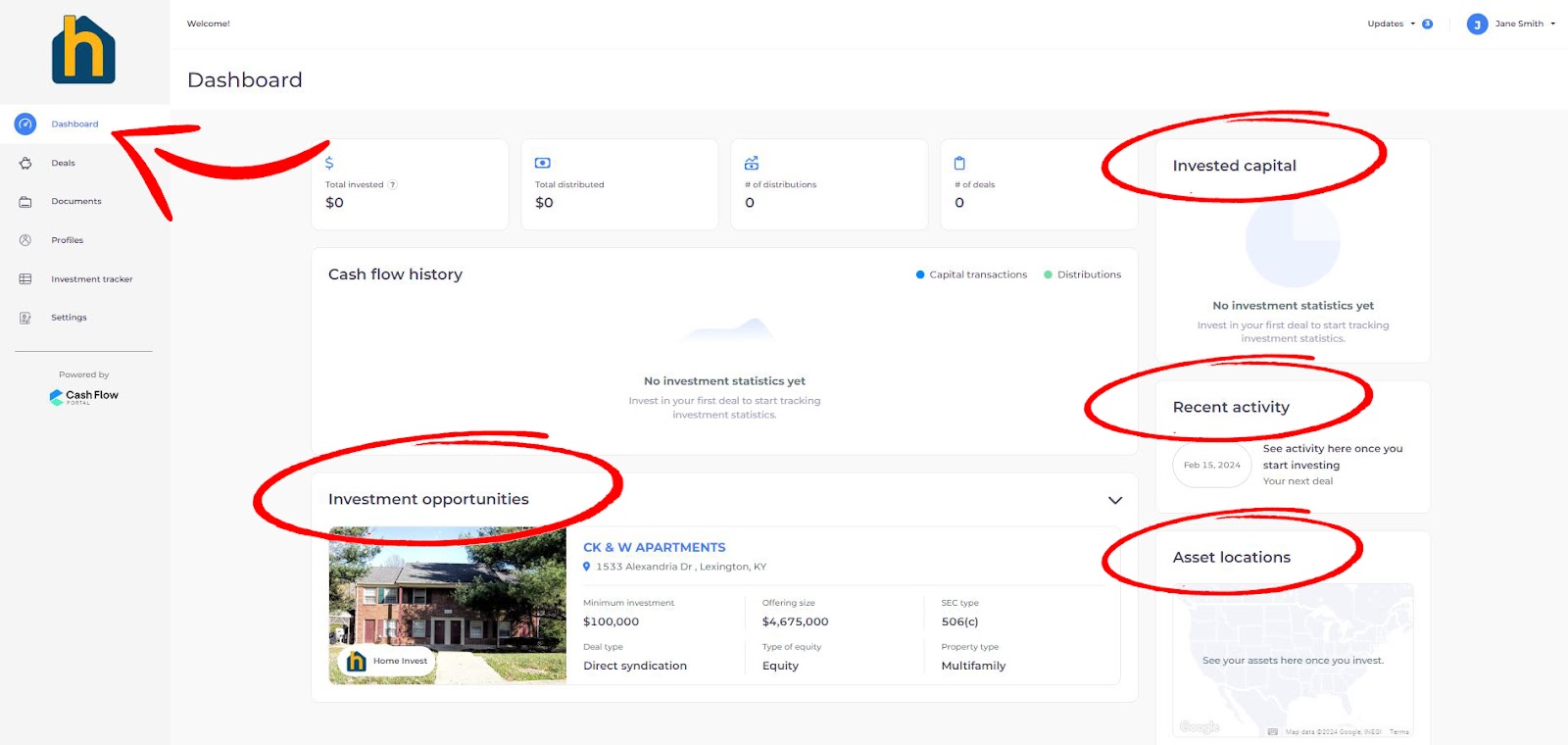
- Dashboard - is the place where you are going to spend most of your time on the portal.
This is where you can see everything you've already invested in. You can see information such as how much money you've invested, how many distributions you've received overall, and how many deals you're part of. This is going to help you track your activities and get better at them.
Sections on the Dashboard:
Cash flow history with investment statistics
Recent activity - you can see everything that you've been doing recently
Asset location - you can see your deals on a map
Investment opportunities - is where you can see every deal that we have opened that is not closed and currently available for investment!
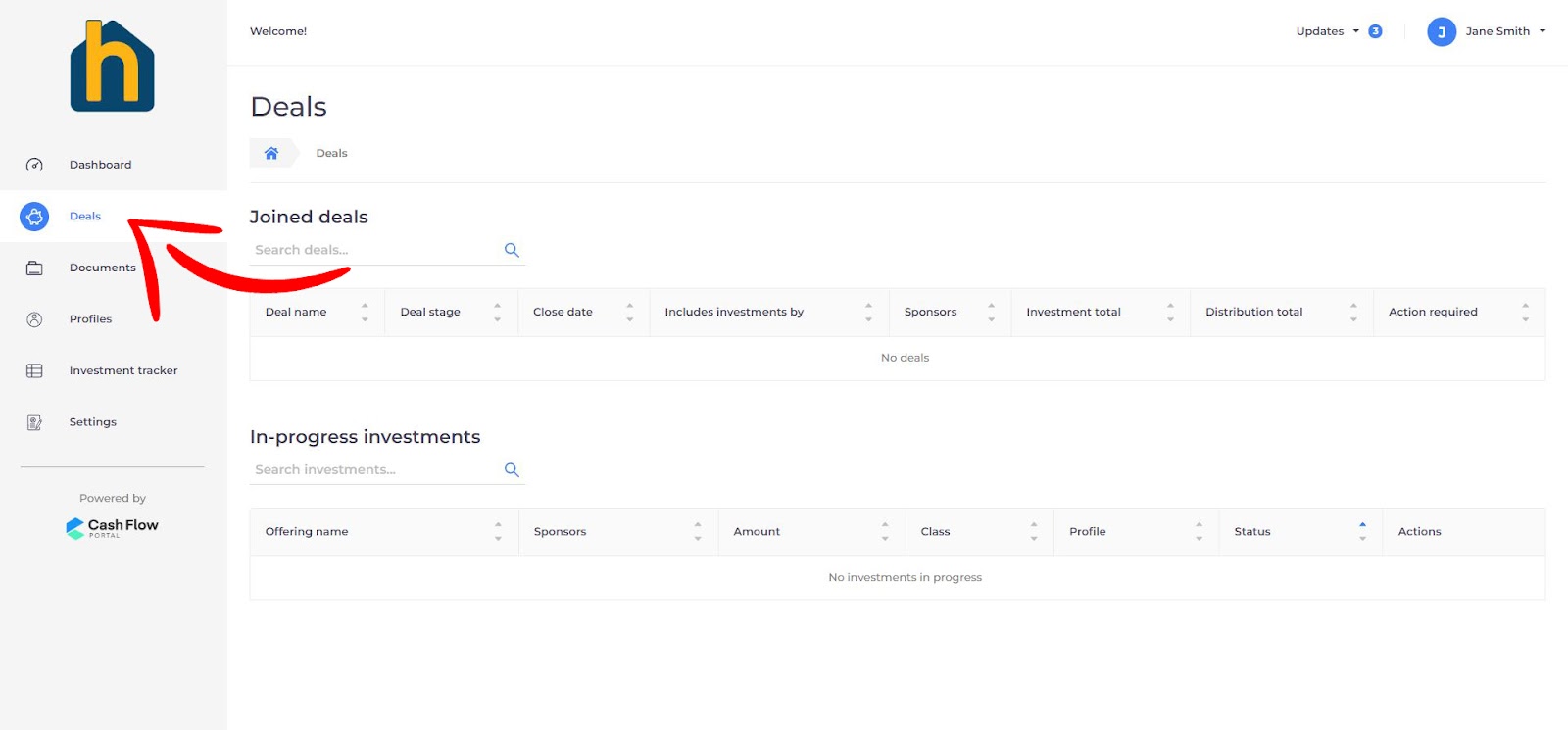
- Deals - this is the place where all your investments are listed with details about them.
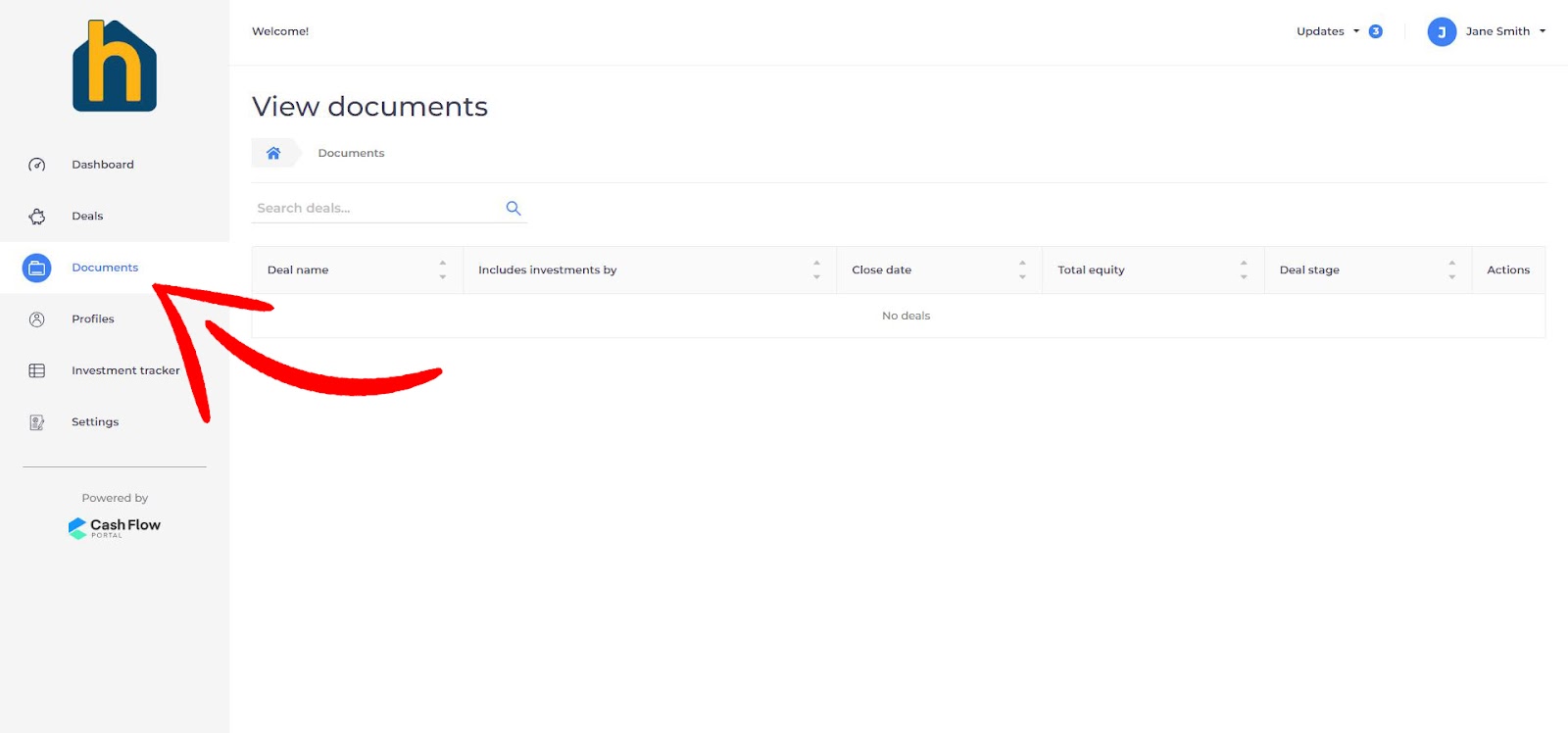
- Documents - storage for the files we upload for you (like subscription documents for an investment).
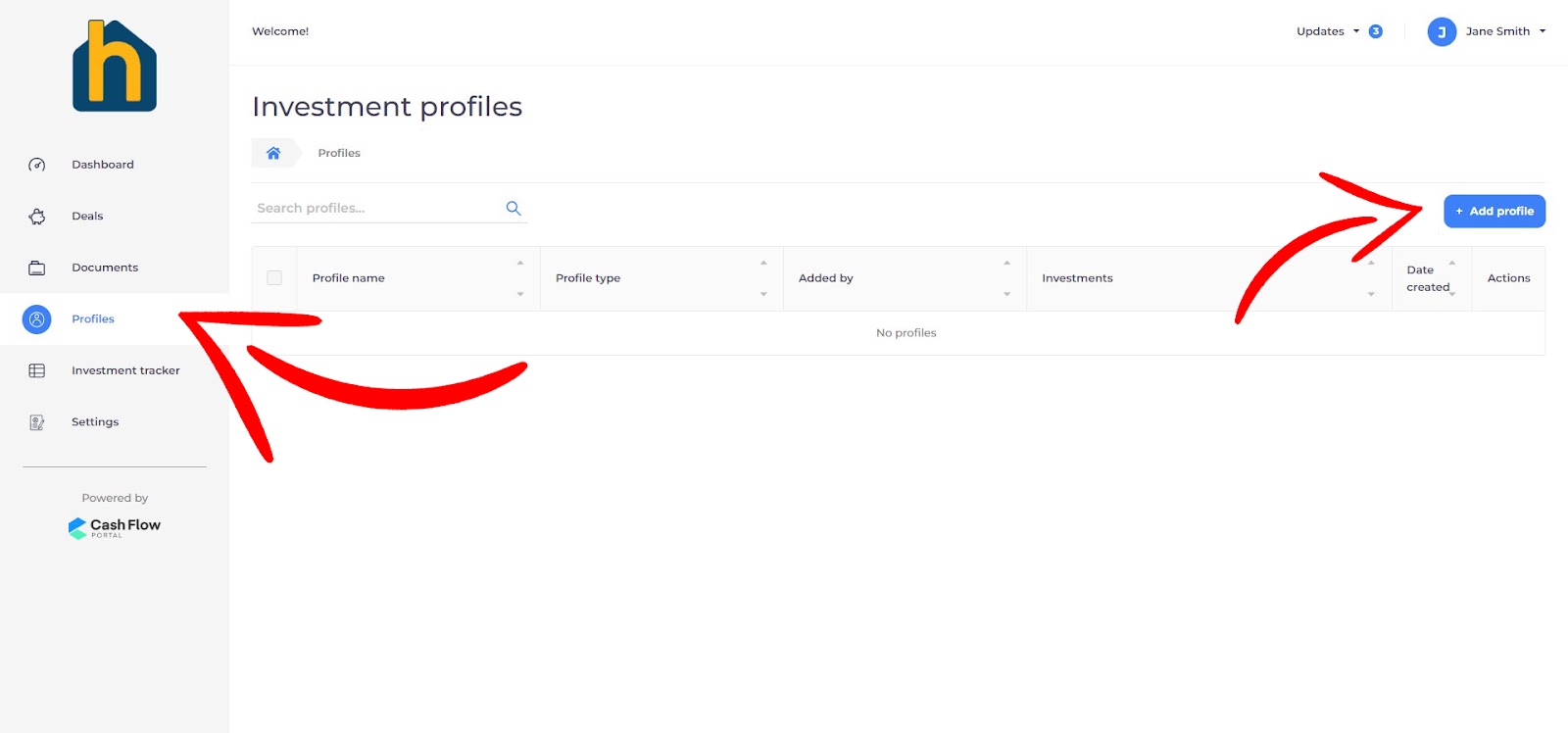
- Profiles - you are able to have multiple investment profiles. Sometimes you want to invest under your personal name, sometimes under entities like for example LLC, so this is where you can make different types of profiles for yourself.
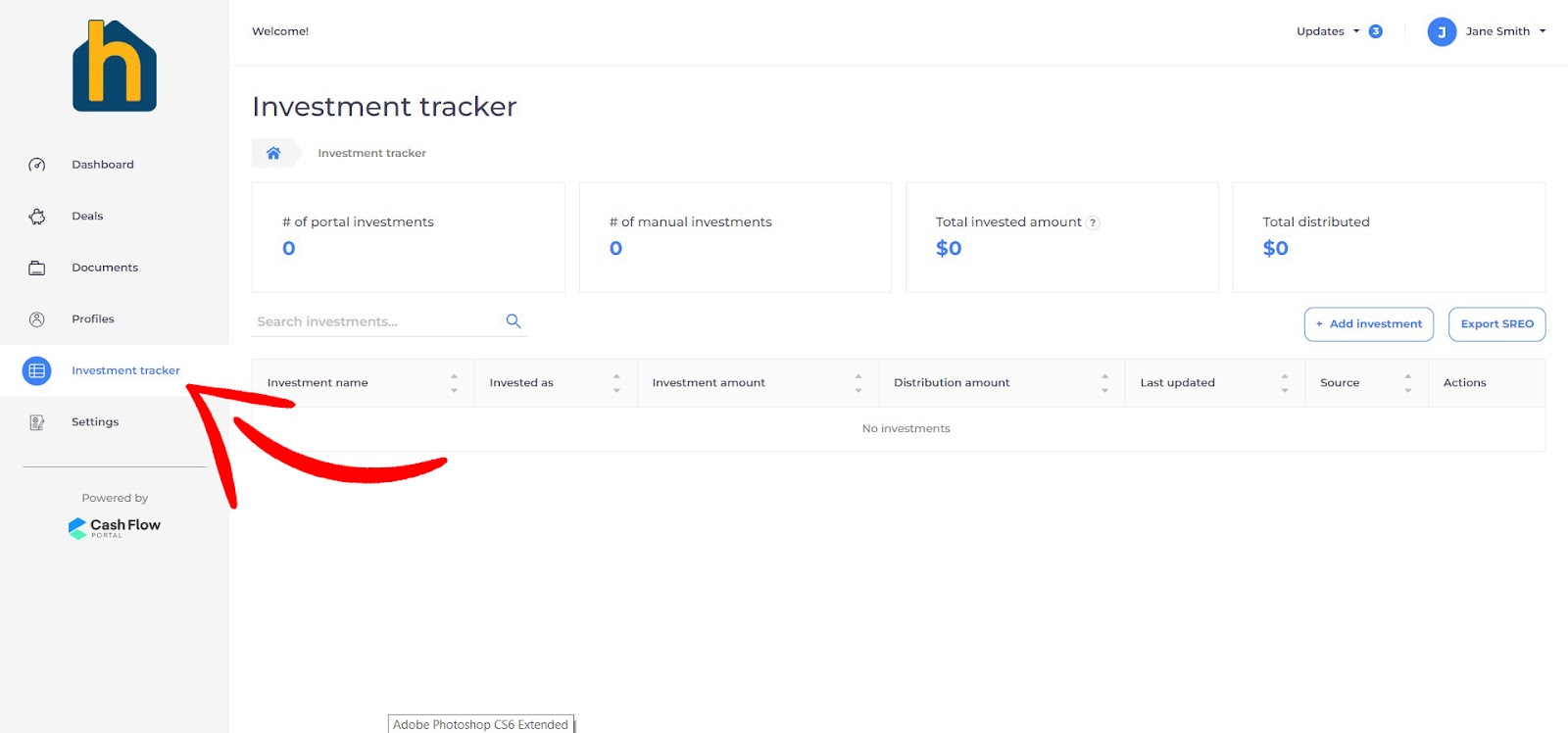
- Investment tracker - overview of all of your investments
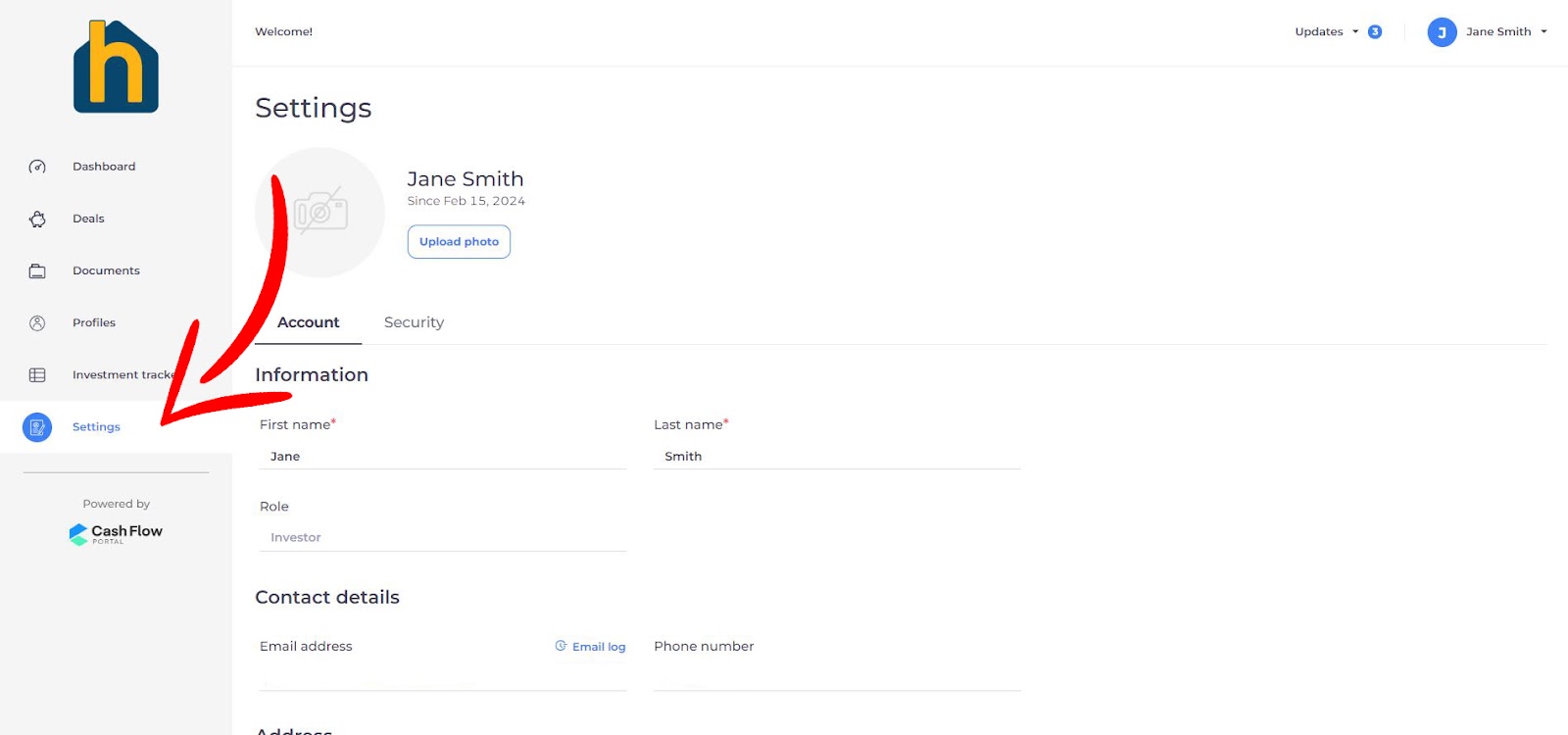
- Settings - you can always change your personal informations
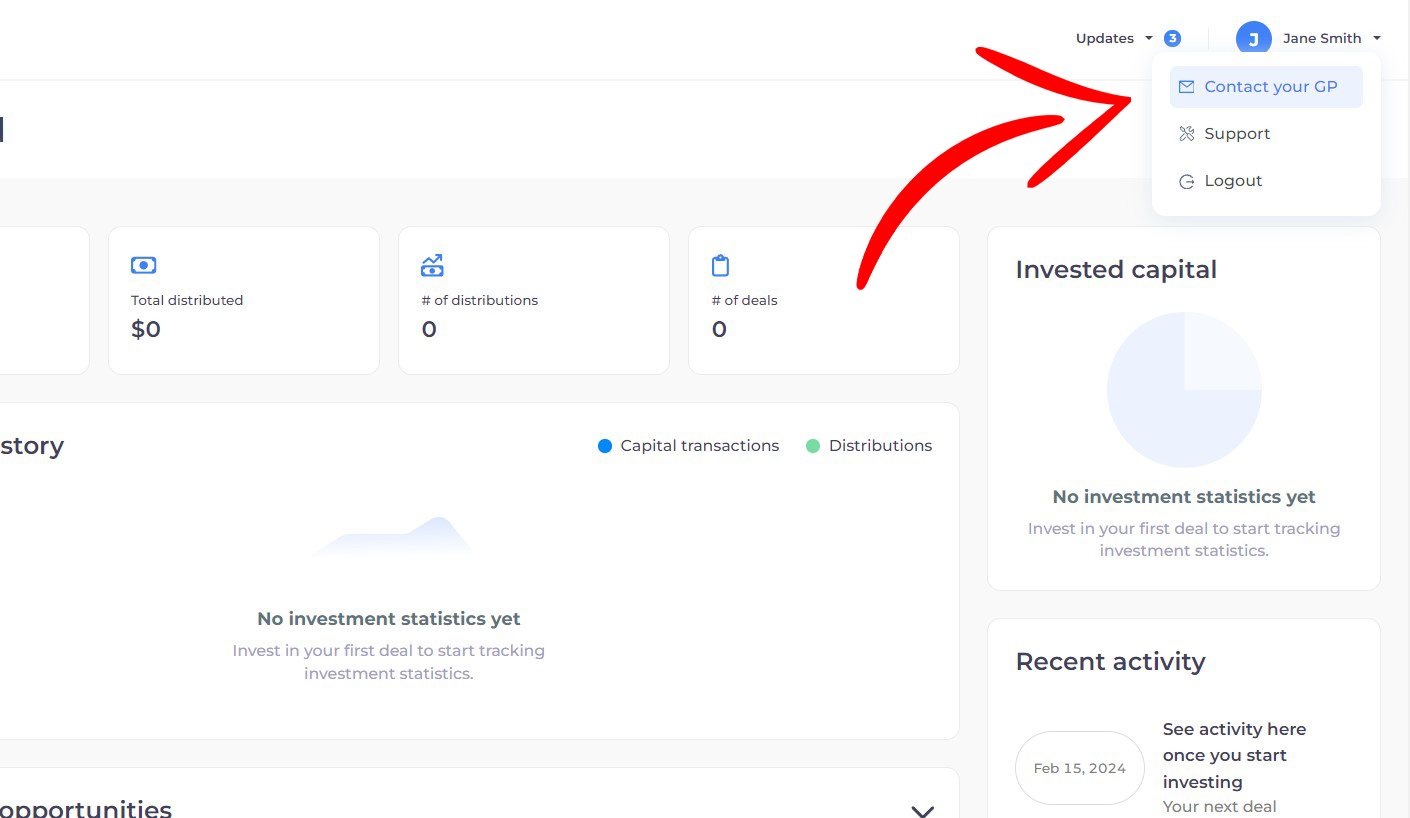
If you still need any help or information just go to your profile name and then go to SUPPORT
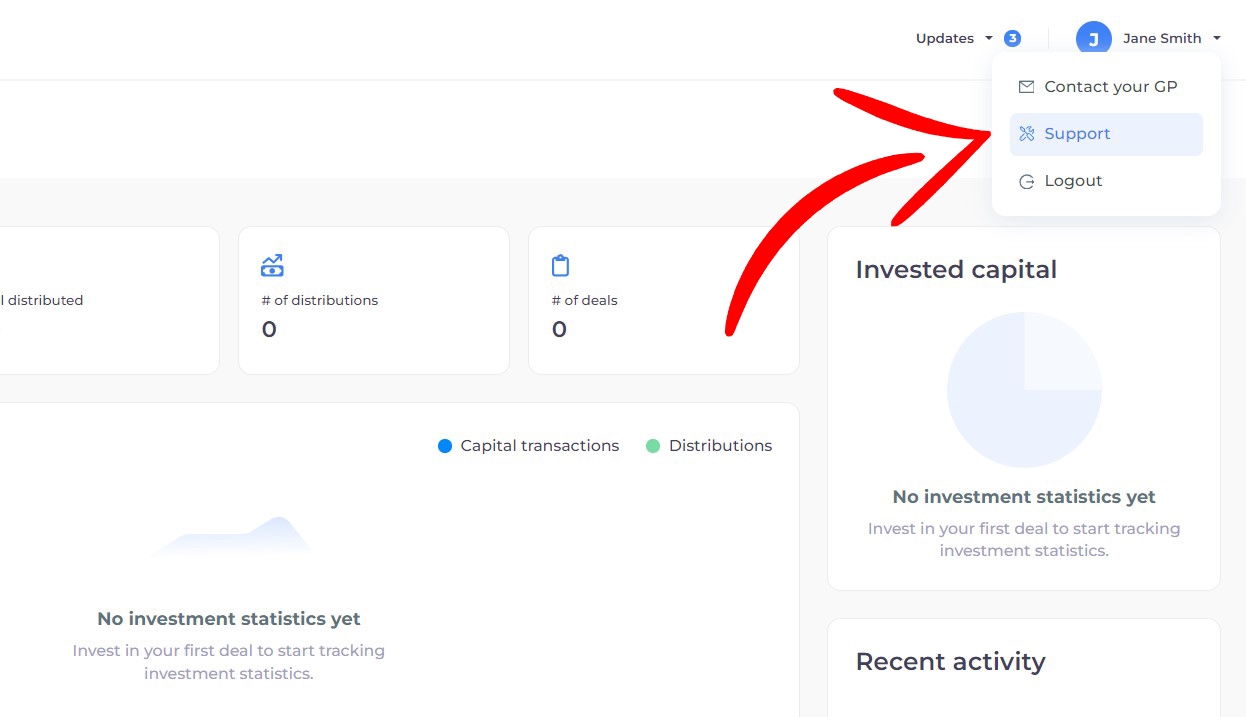
Or if you want to reach out to us in Home Invest directly just go to CONTACT YOUR GP.
We're here to help you on your real estate investing journey. So let’s get started!